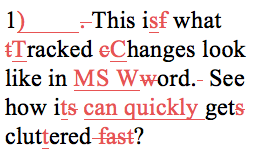
So you got the manuscript back from the copy editor or proofreader. Now what? Well, it’s time to check the
Category: software
Autocorrect with formatted text in Word, an alternative to macros
Pimp the autocorrect feature in Word to save keystrokes. It’s easier than a macro! Type the desired text in a

Tackling paralysis with soft edit and Note Stripper
When footnotes are a formatting nightmare, Note Stripper saves the day. End notes too. Also, Adrienne sings “soft edit” to help

Create a Word file from a PDF
You might need to convert a PDF back to text to get a word count, to create the next addition
Customize page numbers on a PDF using Adobe Acrobat 9, X, or XI
(There are new instructions on using Acrobat DC.) When your file doesn’t start on page 1, it is helpful to
Speak the first draft of your book
“The thing is, I’m a much better lecturer than I am a writer” said one person I am coaching. Well,
Office starter kit for the freelance editor
Before you get to work editing, there is key hardware and software you are going to need. This applies to

Master Word’s Find and Replace Function with Wildcards and Codes
Word info in my favourite links this week: One series on customizing Word, and two free resources that will help

How to sign and initial a PDF realty contract and print it out
How to add a signature to a PDF and print it out. Also how to add text and initials too.

Get rid of the annoying formatting pop-up when you paste in Word
That tiny icon that pops up whenever you paste something into a Word file can get pretty annoying for an